Preview Data
To preview the data that will be returned by a data block, follow the steps below:
-
Click on the data block to select it.
-
In the bottom panel, press the ‘Change View’ button
 , and select ‘Live Data View’
  . This displays a limited preview of the data in the data block. The status bar also displays the query execution time.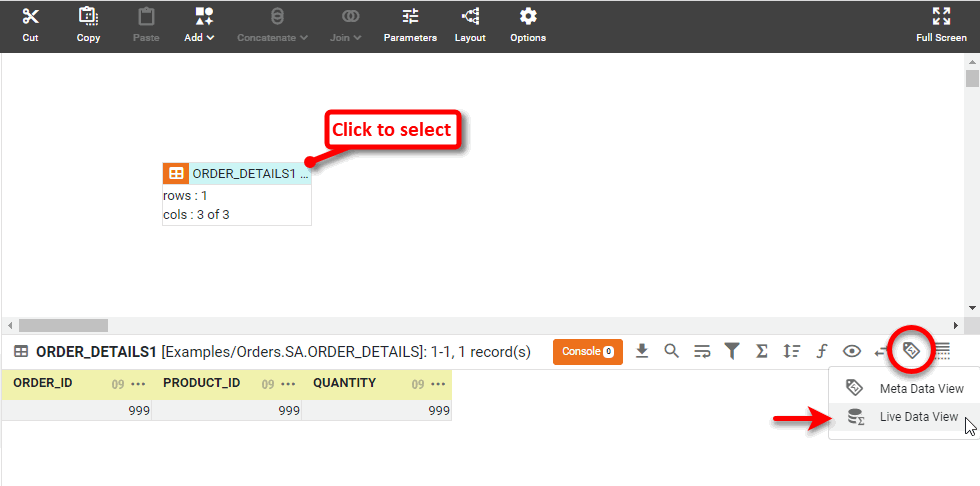
-
To suspend the preview limit, press the ‘Change Data Mode’ button
 and uncheck ‘Enable Display Row Limit’.
Removing the preview limit may slow the preview display. Note that even if you suspend the preview limit, the data set returned may still be limited by the administrator. -
To limit the data displayed, press ‘Change Data Mode’ button
again and check ‘Enable Display Row Limit’.
The numerical value of the limit (maximum number of rows) is set by the administrator. The display row limit of a data block does not affect the results of operations, such as joins, in which the data block participates.