Broadcast a Message
| The broadcast feature requires that a security provider be specified. See Configure Security. In a multi-tenant environment, only the Site Administrator can access the Broadcast feature. (See Enable Multi-Tenancy for more information about multi-tenancy.) |
To send an alert to all currently logged-in users, press the ‘Send Notification’ button  at the top of Enterprise Manager.

This opens the ‘Broadcast’ dialog box, where you can enter a message to be relayed to users.
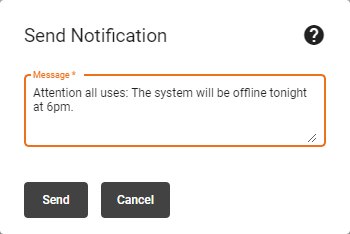
When you have entered the desired message, press Send. The message will be displayed to active users within about one minute after sending. You can use this mechanism to warn of system-wide scheduled maintenance, for example.