Configure Connection Pool
| This feature is available only in Enterprise Edition. |
Connection pooling is managed by HikariCP. To specify connection pool settings, follow the steps below:
-
Press the top ‘Data’ button
 in the Portal.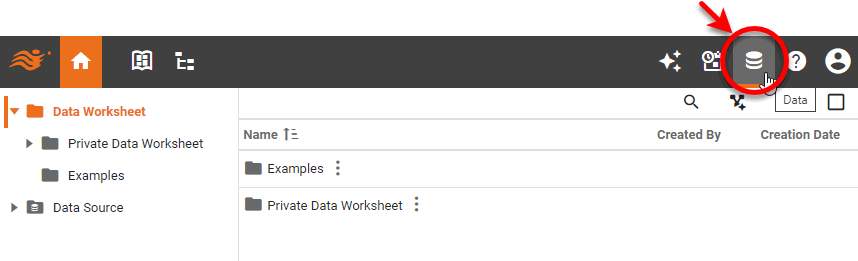
-
Select the ‘Data Source’ folder and select the data source for which you want to set connection pool properties.
-
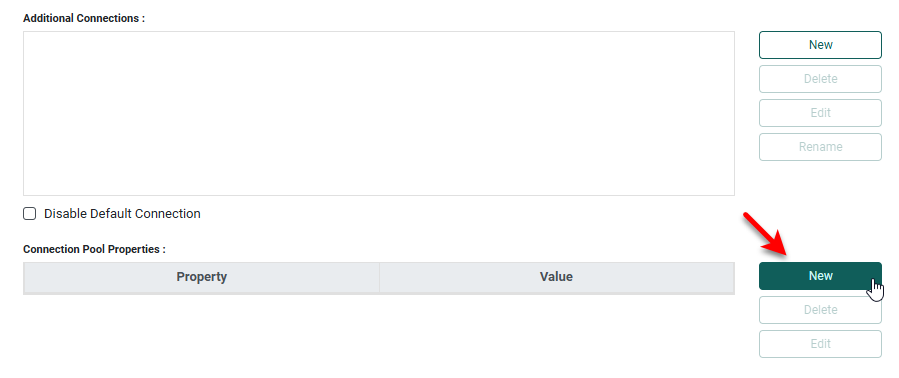
In the ‘Connection Pool Properties’ panel of the data source definition page, press New.
-
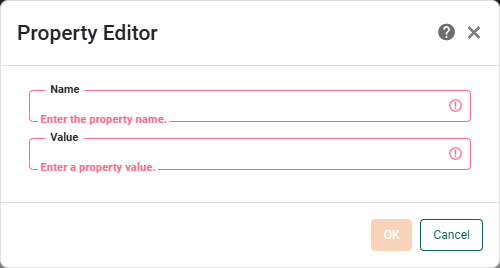
In the ‘Property Editor’, add a HikariConfig name/value pair and press OK.
-
Repeat the above steps to add additional properties.
-
Press OK at the bottom of the data source definition page.
To edit a property/value pair, select the property in the list, and press Edit. To remove a property, select it and press Delete.