Create a Hidden Column
| This feature is available only in Enterprise Edition. |
You can specify that certain columns in database tables should be restricted by the VPM. These are called hidden columns. To hide columns, follow the steps below:
-
If necessary, create a VPM as explained in Create a New VPM.
-
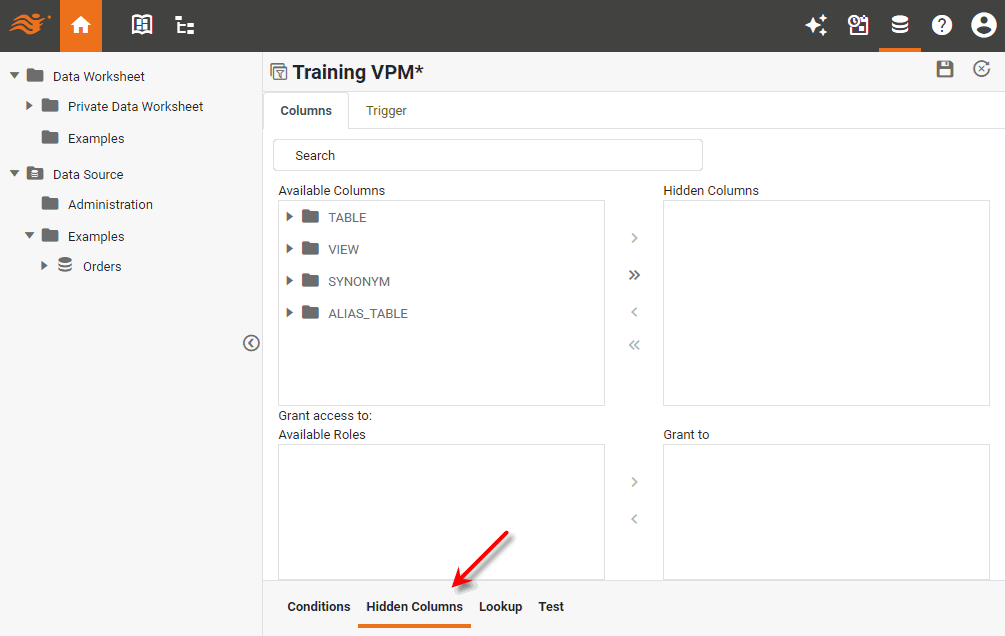
Select the Hidden Columns tab at the bottom.
-
Select the column(s) that you want to hide, and press the ‘Add’ button
 .
.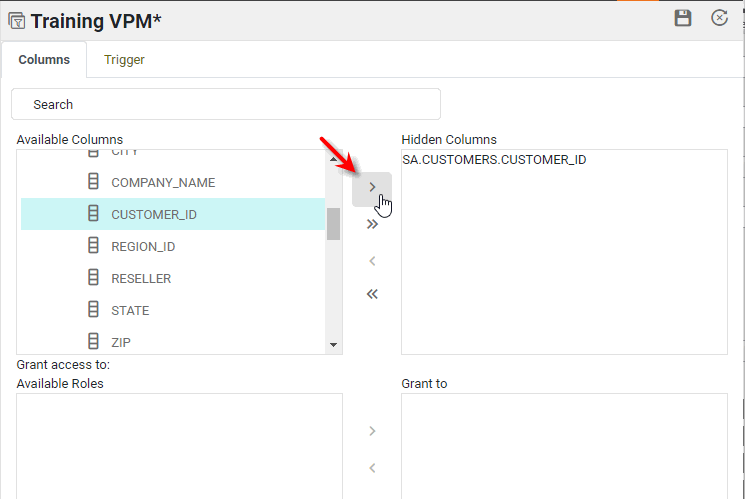
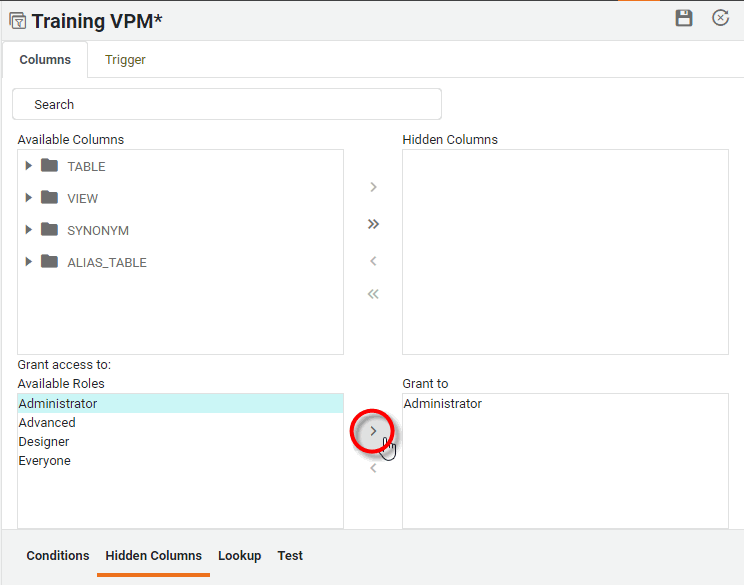
The columns listed in the ‘Hidden Columns’ pane are automatically hidden from all users, except for those who are associated with at least one of the roles listed in the ‘Grant to’ pane.
-
Add the desired roles to the ‘Grant to’ pane by select the roles in the ‘Available Roles’ panel and pressing the ‘Add’ button
.
-
To add scripted logic that triggers the column hiding, see Add a Hidden Column Trigger.
-
Press the ‘Save’ button
 to save the VPM.
Once the hidden columns are specified, the tables containing those columns are automatically listed in the Lookup tab. This indicates that the VPM security will be applied to any query that contains those tables.
| A column that is derived from one or more hidden columns by an expression will be accessible only to users who have permissions for all the columns used in the expression. |