bindingInfo.setGroupOrder(group_field, header, level)
Sets the grouping level for a date-type field. This is equivalent to setting the ‘Level’ for a date-type field in the Crosstab Editor.
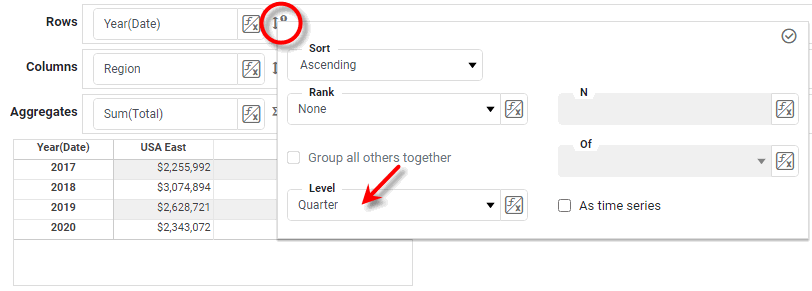
Parameters
- group_field
-
String: Name of a grouped date column
- header
-
StyleConstant.ROW_HEADERorStyleConstant.COLUMN_HEADER - level
-
Style Constant object. See Date Grouping Level.
Example
Crosstab1.query = 'Sales';
Crosstab1.bindingInfo.rowFields = ['Date'];
Crosstab1.bindingInfo.colFields = ['Region'];
Crosstab1.bindingInfo.measureFields = ['Total'];
Crosstab1.bindingInfo.setFormula('Total', StyleConstant.SUM_FORMULA);
Crosstab1.bindingInfo.setGroupOrder('Date',StyleConstant.ROW_HEADER,StyleConstant.QUARTER_OF_YEAR_DATE_GROUP);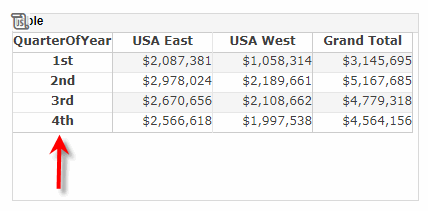
|
Either syntax below can be used in component script: For onInit/onRefresh scripts, and for component and property scripts on other components, the second (qualified) form is required. |