Add a Lookup Trigger
| This feature is available only in Enterprise Edition. |
You can use scripted logic to enable or disable the VPM. Follow the steps below:
-
If necessary, create a VPM as explained in Create a New VPM.
-
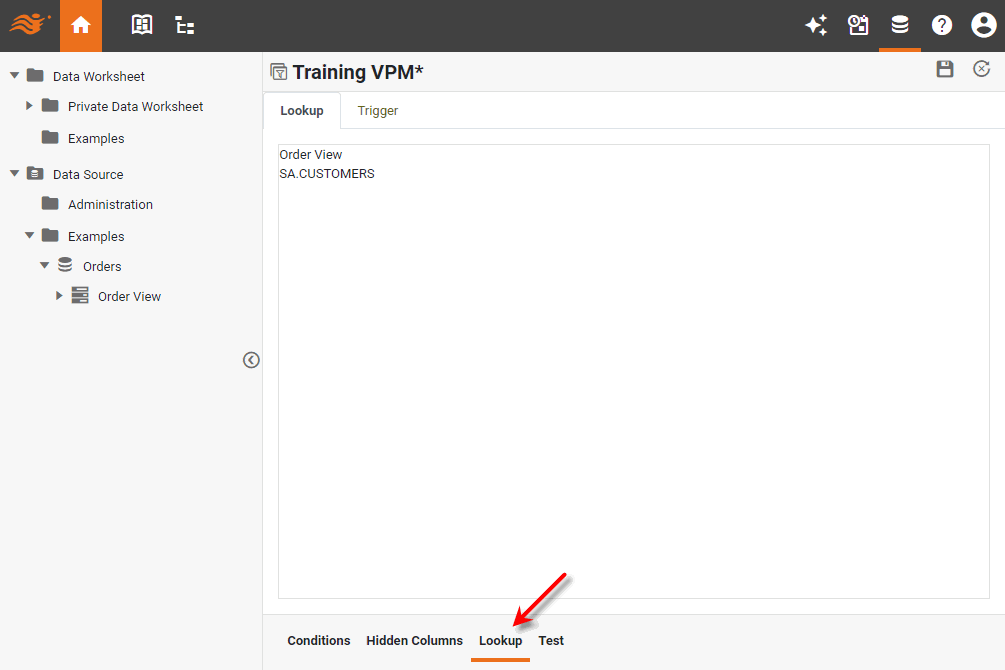
Select the Lookup tab at the bottom.
-
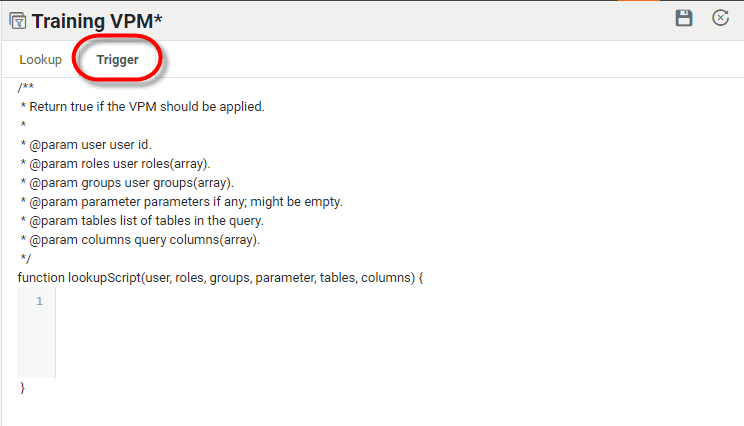
Select the Trigger sub-tab.
-
Enter the desired trigger script in the text box at the bottom. The trigger script should use standard JavaScript syntax, and should return
trueto enable VMP orfalseto disable VPM.Example 1. Lookup trigger scriptif(user=='Annie') { false; // VPM not enabled }The following parameters are available for use in the script:
-
Press the ‘Save’ button
 to save the VPM.