Visual Composer Search
The Search feature helps you locate components on a complex dashboard. Type in the ‘Search’ box at the bottom of the Visual Composer window to find dashboard components with a full or partial name match. (The ‘Name’ of a component is set on the General tab of the ‘Properties’ panel. See General Tab.)
In the example below, both the ‘Name’ and ‘First Name’ Selection Lists are located by typing “name” in the ‘Search’ field.
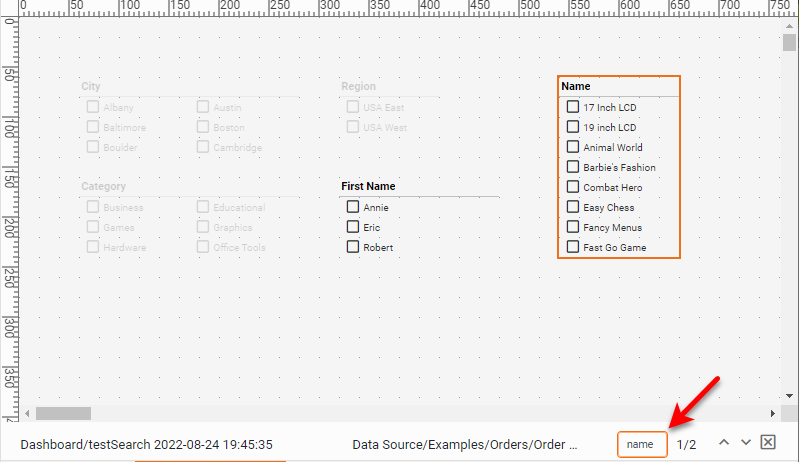
| In the example, the component titles are the same as the component names. However, the Search feature searches only the ‘Name’ property of components, not the ‘Title’ property.) |
You can cycle through matching component by pressing the ‘Previous’ button  and ‘Next’ button
  . Press the ‘Exit’ button
  to return to the normal Visual Composer view.