axis.setLabelAlias(value,alias)
Example
Chart1.axis['Customer:City'].setLabelAlias('New Brunswick','New Bruns');
Chart1.axis['Customer:City'].setLabelAlias('San Francisco','San Fran');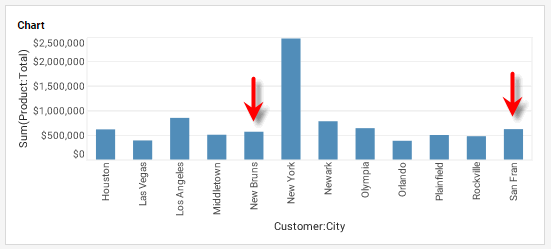
|
Either syntax below can be used in component script: For onInit/onRefresh scripts, and for component and property scripts on other components, the second (qualified) form is required. |