Cache
| In Enterprise Edition, when multi-tenancy is enabled (see Enable Multi-Tenancy), this feature is available to Site Administrators only. |
When the user opens a Dashboard, the StyleBI engine generates objects and datasets for the Dashboard, and stores these objects in an internal cache. To configure this cache, follow the steps below:
-
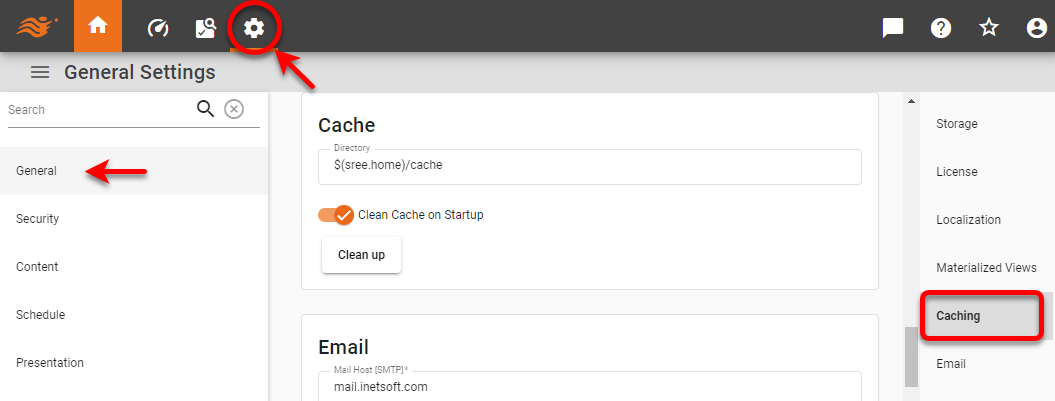
Press the ‘Settings’ button
 at the top of Enterprise Manager.
 -
Select the General page in the left panel, and select the Caching page in the right panel.
-
Enter the location of the cache directory in the ‘Directory’ field. (This can also be specified by the
replet.cache.directoryproperty. See All Properties.) The default is /var/lib/inetsoft/temp/cache. -
Enable ‘Clean Cache on Startup’ to automatically remove temporary files when the server starts up. If multiple applications are using the same cache directory and automatic removal is not desired, disable this option.
To set the size of the cache, as well as a variety of other performance settings related to caching, see Tailor Performance.