bindingInfo.percentageMode
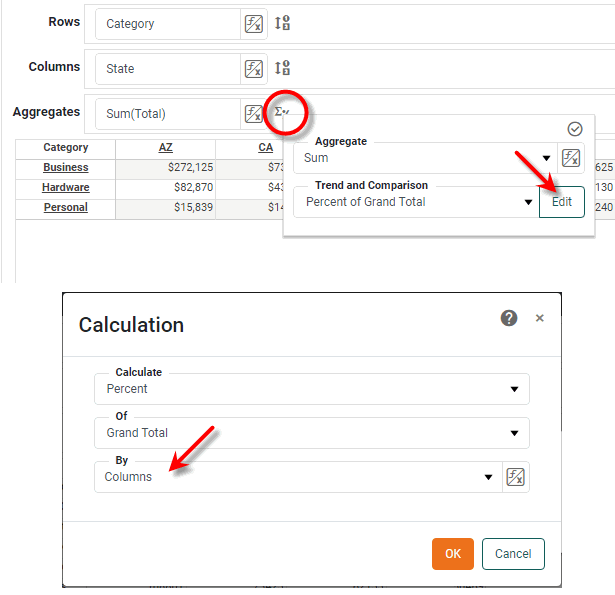
Specifies the direction (row or column) for percentage computation. This is equivalent to selecting the ‘By’ option of the ‘Calculation’ dialog box in the Crosstab Editor (accessible from Edit button under the ‘Edit Measure’ button  ).
).
Type
- Style Constant object
-
StyleConstant.PERCENTAGE_BY_COLorStyleConstant.PERCENTAGE_BY_ROW
Example
Crosstab1.query = 'Sales';
Crosstab1.bindingInfo.rowFields = ['Category','Name'];
Crosstab1.bindingInfo.colFields = ['Region','State'];
Crosstab1.bindingInfo.measureFields = ['Total','Quantity Purchased'];
Crosstab1.bindingInfo.setFormula('Total',StyleConstant.SUM_FORMULA);
Crosstab1.bindingInfo.setFormula('Quantity Purchased',StyleConstant.SUM_FORMULA);
Crosstab1.bindingInfo.setPercentageType('Total',StyleConstant.PERCENTAGE_OF_GRANDTOTAL);
Crosstab1.bindingInfo.percentageMode = StyleConstant.PERCENTAGE_BY_COL;|
Either syntax below can be used in component script: For onInit/onRefresh scripts, and for component and property scripts on other components, the second (qualified) form is required. |