colorLegends.format
Sets the format for data values displayed within a color-key legend (on charts that have multiple color legends).
Type
|
date display |
|
number display |
|
text display |
|
fraction display |
|
locale-adapting currency display |
For the Date, Decimal, and Message formats, use the formatSpec property to assign a format specification using the appropriate masks: [formatType, formatSpec]. See the examples below.
Examples
Chart1.colorLegends['Sum(Product:Quantity Purchased)'].format = [Chart.MESSAGE_FORMAT,"{0} Inc."];
Chart1.colorLegends['Sum(Product:Total)'].format = [Chart.DECIMAL_FORMAT,"$#,##0M"];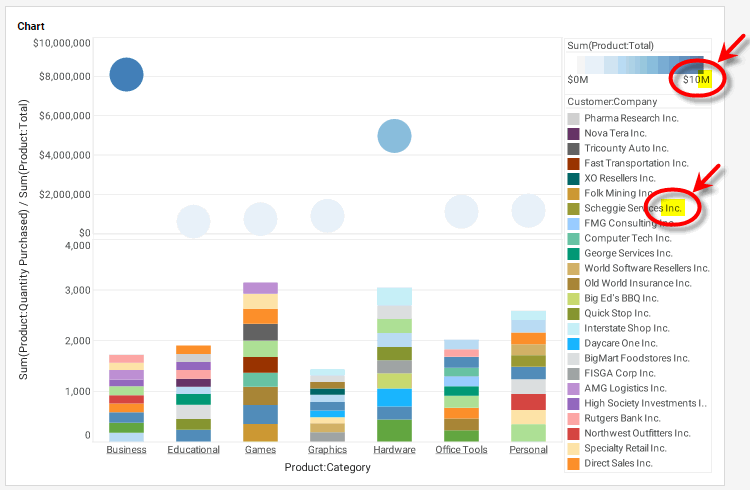
|
Either syntax below can be used in component script: For onInit/onRefresh scripts, and for component and property scripts on other components, the second (qualified) form is required. |