drillMember
| Property is read-only. It cannot be set in script. |
|
Returns the name of the field one level below the deepest level in the hierarchy at which the user has made a selection in a Selection Tree. This is useful for creating interactive chart drilldowns, as shown in the example in Filter Components.
drillMember does not apply to Selection Lists.
|
For example, consider a three-level Selection Tree hierarchy: .
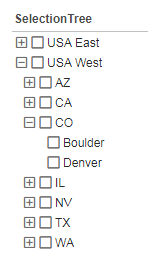
If the user’s most specific selection is at the level of region, then drillMember returns 'State'. If the user’s most specific selection is at the level of state, then drillMember returns 'City'. If the user’s most specific selection is at the level of city, then because there is no lower level drillMember again returns 'City'. If the user has not selected any values in the Selection Tree, then drillMember returns the highest level, here 'Region'.
Example
var drillField = SelectionTree1.drillMember;|
Either syntax below can be used in component script: For onInit/onRefresh scripts, and for component and property scripts on other components, the second (qualified) form is required. |
The sample Call Center Team Performance Dashboard (in the ‘Examples’ folder) provides an example of using drillMember to control the view of a chart.
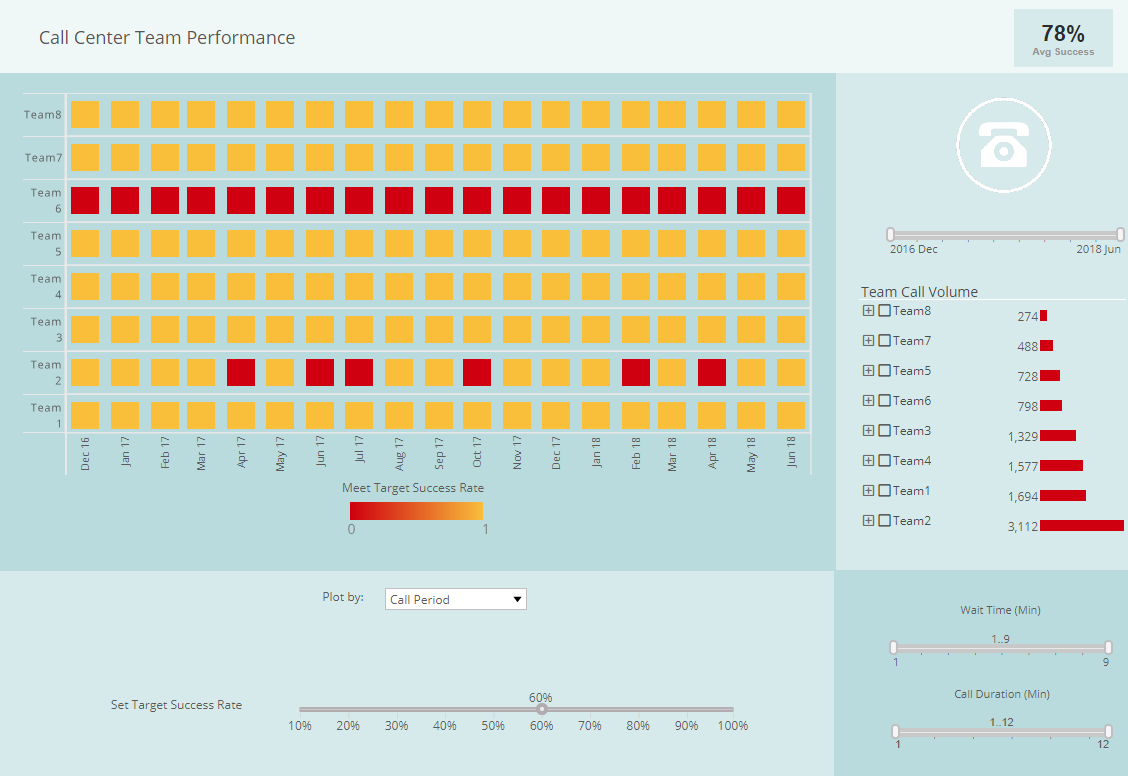
To explore this sample Dashboard, download and import the Call Center Team Performance Dashboard into your environment. (This requires access to Enterprise Manager.) See Import and Export Assets for instructions on how to import.