Siebel CRM
To connect to Siebel CRM, create a direct connection to the back-end database. Follow the steps below to create a connection:
Watch Video: Connecting to a Database
This video might show an earlier version of the feature or operation that differs in minor ways from the current version.
-
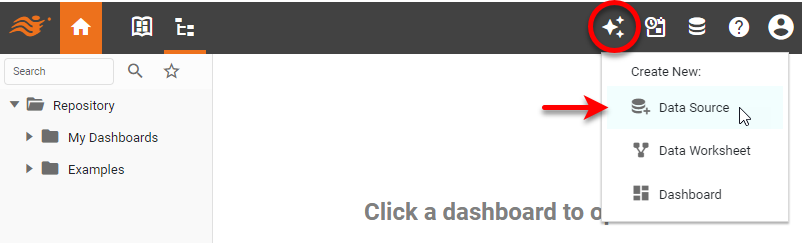
In the User Portal, press the top ‘Create’ button
 in the Portal, and select ‘Data Source’
  .
.
This opens the data source listing. To locate a data source, select the data source category in the left panel, or enter the data source name in the search field.
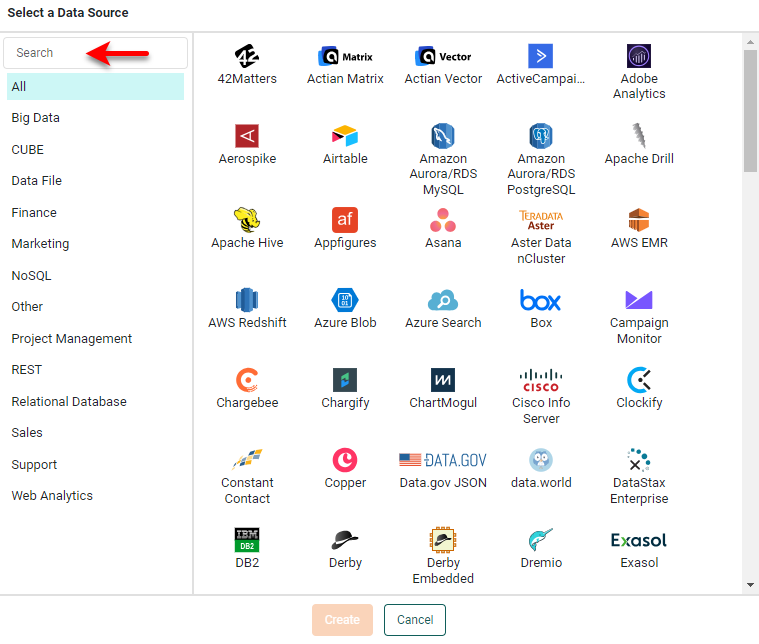
If you see the ‘Create Visualization’ dialog box instead of the User Portal, press Connect to Data Source to display the data source listing.
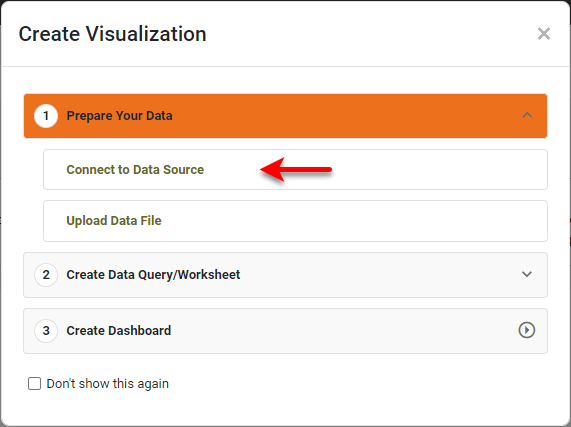
-
Select the appropriate ‘Siebel CRM’ data source (using back-end database of Oracle or SQL Server), and press Create. This opens the database definition screen for Oracle or SQL Server. See the sections below for additional instructions for these databases: